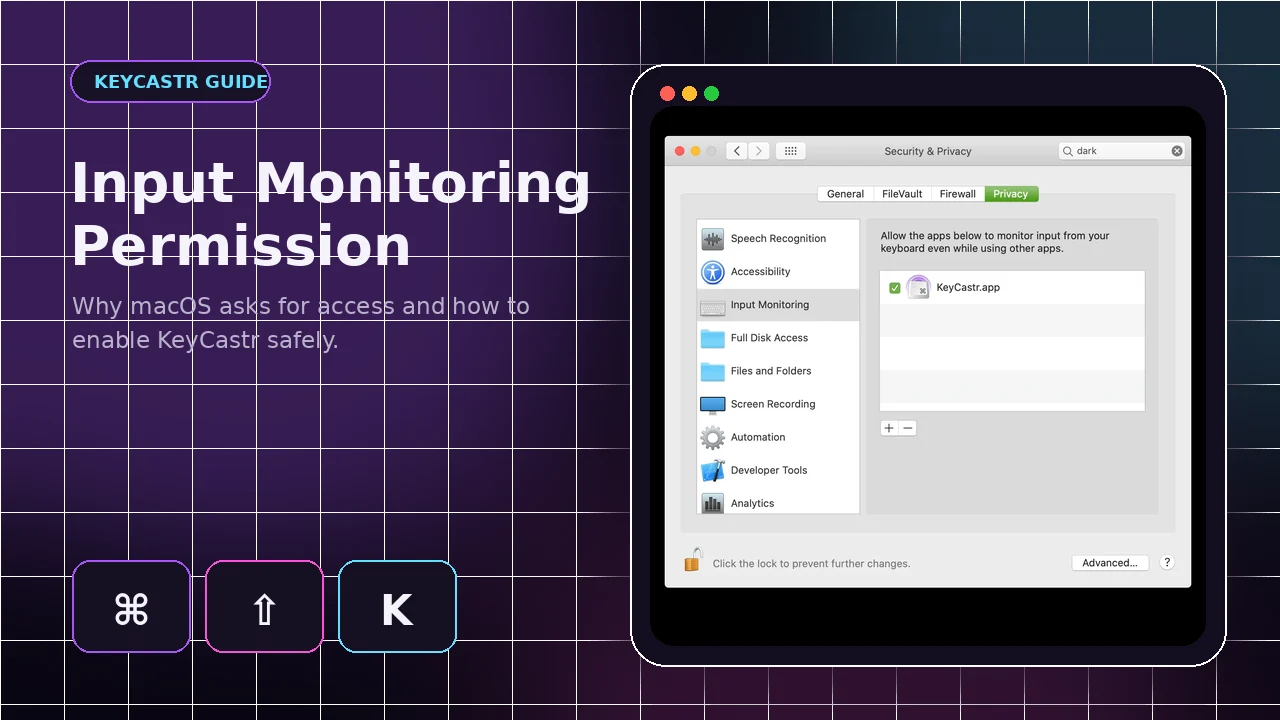
Input Monitoring is the macOS privacy control that allows an approved application to receive keyboard events while other apps are active. KeyCastr needs this permission because its purpose is to display shortcuts outside its own preferences window. The same power makes careful permission management important.
Why KeyCastr requests this access
System-wide events
A keystroke overlay must know when shortcuts are pressed in editors, browsers, presentation tools and other applications. macOS blocks that access until the user approves it.
Permission does not mean unlimited trust
Input Monitoring is broad. Grant it only to the KeyCastr copy you intentionally installed and remove old or unknown entries from the list.
Enable Input Monitoring on modern macOS
Open the correct settings pane
Go to System Settings, Privacy & Security, then Input Monitoring. Find KeyCastr and enable the toggle.
Authenticate and restart
macOS may require an administrator password or Touch ID. Quit and reopen KeyCastr when prompted so it can create a new event tap with permission.
Accessibility on older systems
Older permission location
Older supported macOS releases may use the Accessibility list instead. Add KeyCastr manually if it does not appear.
Select the exact application
Use the plus button to choose KeyCastr.app from Applications. A moved or replaced app can leave an outdated entry behind.
Reset a permission that is not working
Remove and re-add
Quit KeyCastr, delete its existing Input Monitoring or Accessibility entry, reopen the app and enable the newly registered copy.
Test with Svelte
If the Svelte visualizer reacts, input is reaching the app and the remaining problem may be overlay position or Default visualizer settings.
Privacy practices for presentations
Do not show all keys unnecessarily
Command Keys Only or All Modified Keys reduces accidental exposure compared with All Keys.
Pause for sensitive tasks
Hide or stop the overlay before passwords, private messages, access codes or other confidential typing. Review the Input Monitoring list after testing unfamiliar software.